Most AI tools ask for two things before they do anything useful: your attention and your meter.
Your attention, because the first screen is an org chart, a dashboard and a settings page you're supposed to understand before typing a word. Your meter, because every message — the hard ones and the trivial ones alike — goes to the same expensive model in someone else's data centre.
askTheodor 0.9.282 is about taking both of those back. It opens as a single conversation. It keeps routine work free and only spends when the work earns it. And it can answer on your own GPU with no account, no background daemon and no network at all.
Start with a chat. Grow into a workforce.
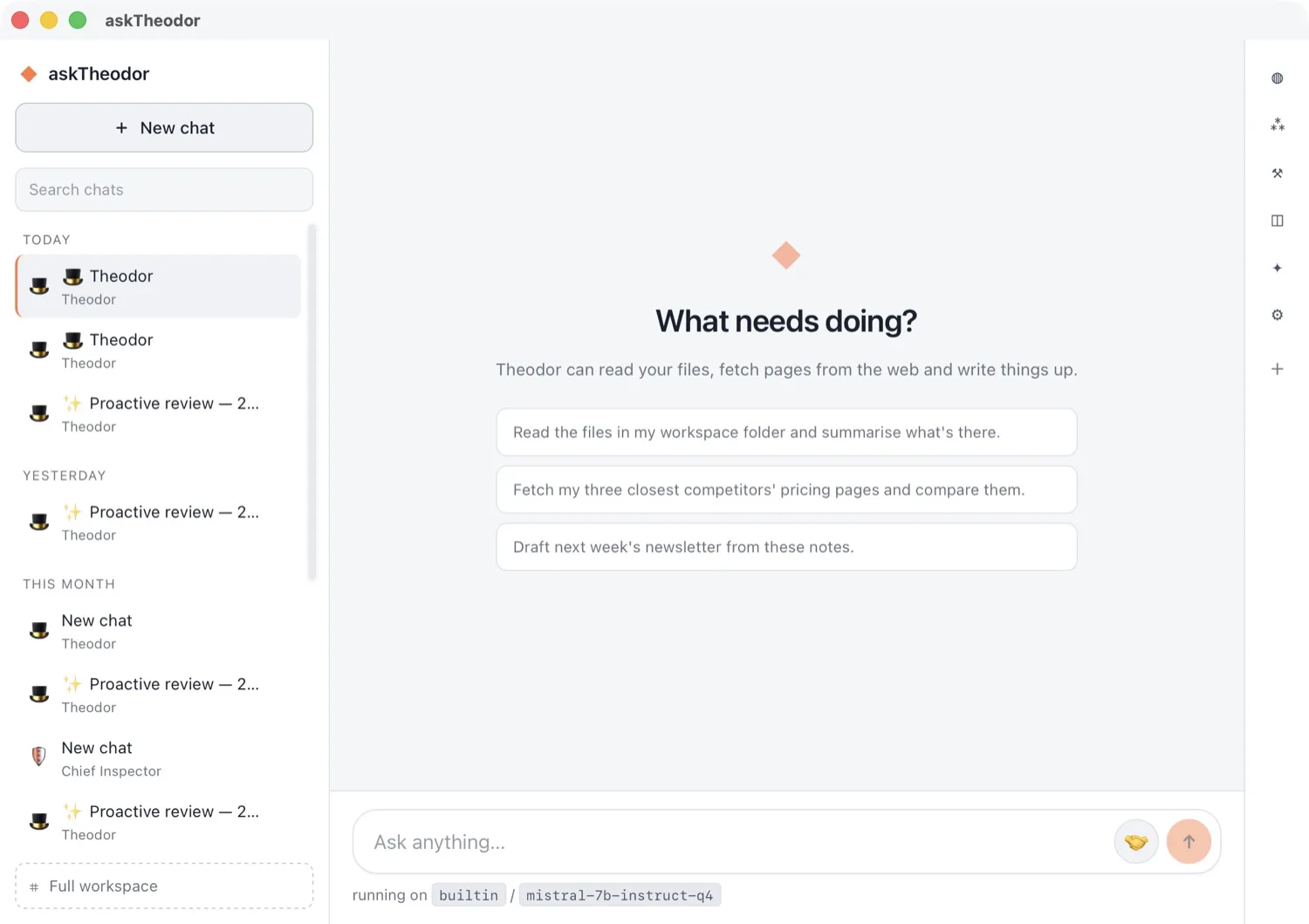
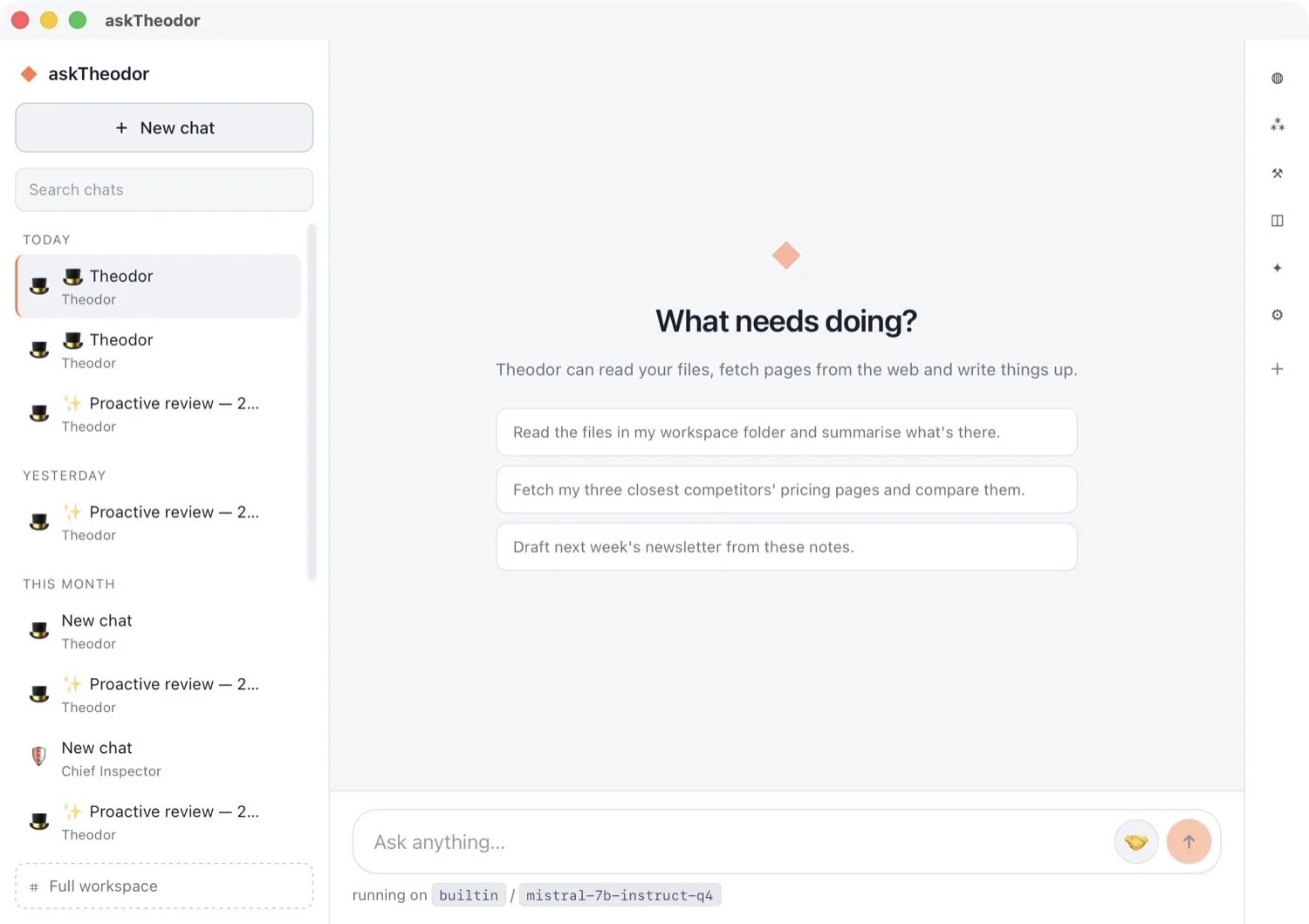
askTheodor now opens in Simple mode: a conversation list, one chat, and nothing to configure before your first message.
The workforce is still there — it lives in a slim rail on the right and shows itself only when it becomes relevant: who is answering, what they can reach, what this chat has produced. Even the greeting is built from the tools the current worker actually holds, so the app never offers something it can't do.
When you want the full workspace, it's one click away — and it is the same workspace. One set of conversations, workers and history, seen at whatever depth suits you that day.
Every specialist, one click away
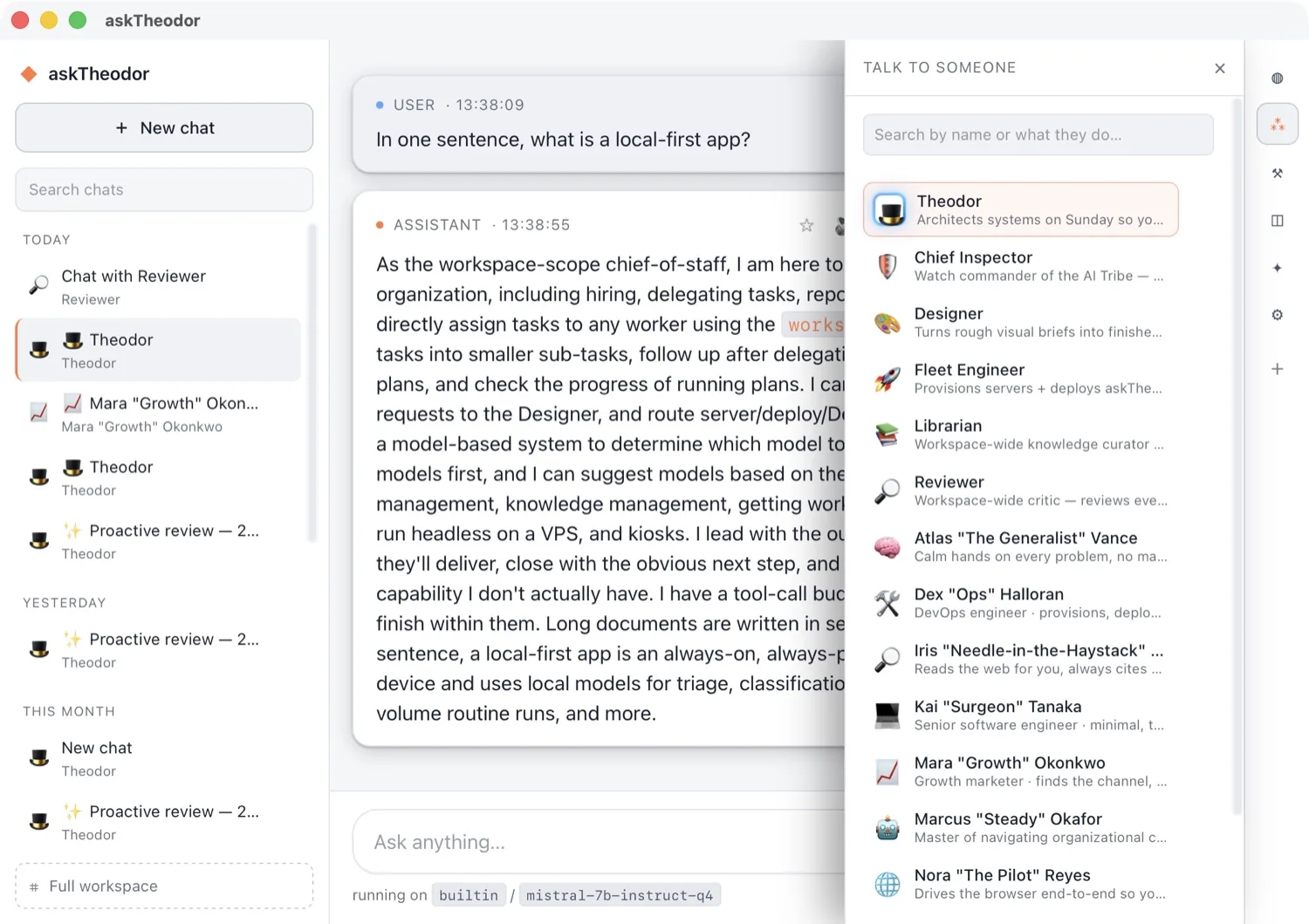
Fourteen workers or a hundred, the roster finds them. Search by name, or by what they do when you can't remember who that was.
Pick someone and a chat with them opens right there — you never leave the conversation to change who you're talking to. And because each worker carries their own brain, tools, memory and budget, a growth marketer and a code reviewer are genuinely different colleagues, not one model wearing two name tags.
Cheap models for the routine. Expensive ones only when it counts.
Here's the uncomfortable truth about running AI all day: most of the work is routine. Sorting an inbox, tagging a lead, summarising a page. Paying frontier prices for that is like sending your senior architect to fetch coffee.
So every model askTheodor knows is now sorted into three tiers, each with the vendor's real published rate (per million input tokens) attached:
- Light — triage, classification, extraction, short summaries, high-volume routine runs. Free local models, glm-5.3-flash ($0.15), gpt-5.6-luna ($0.20).
- Standard — the everyday workhorse: drafting, research, most tool use. claude-sonnet-5 ($2), gemini-3.8-flash ($0.75), kimi-k2.6 ($0.95).
- Heavy — architecture, deep multi-step reasoning, long-horizon agentic work. claude-fable-5.1 ($10), gpt-6-astra ($10), glm-5.3 ($1.40).
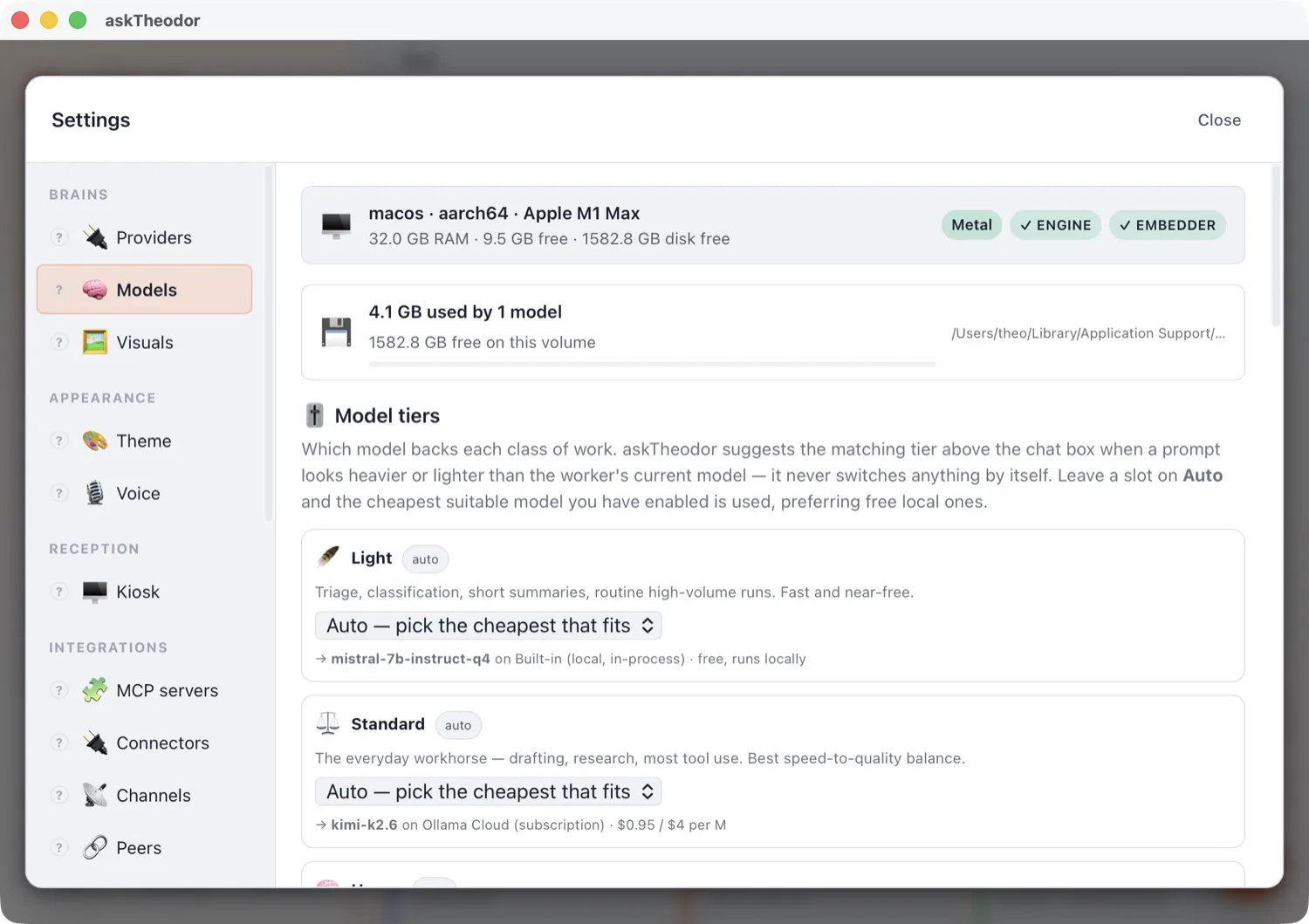
Leave a tier on Auto and askTheodor picks the cheapest capable model you have enabled — preferring free local ones. That's the whole trick behind running a workforce around the clock without watching a meter: the routine ninety-five per cent never touches it.
It tells you when you're using the wrong model
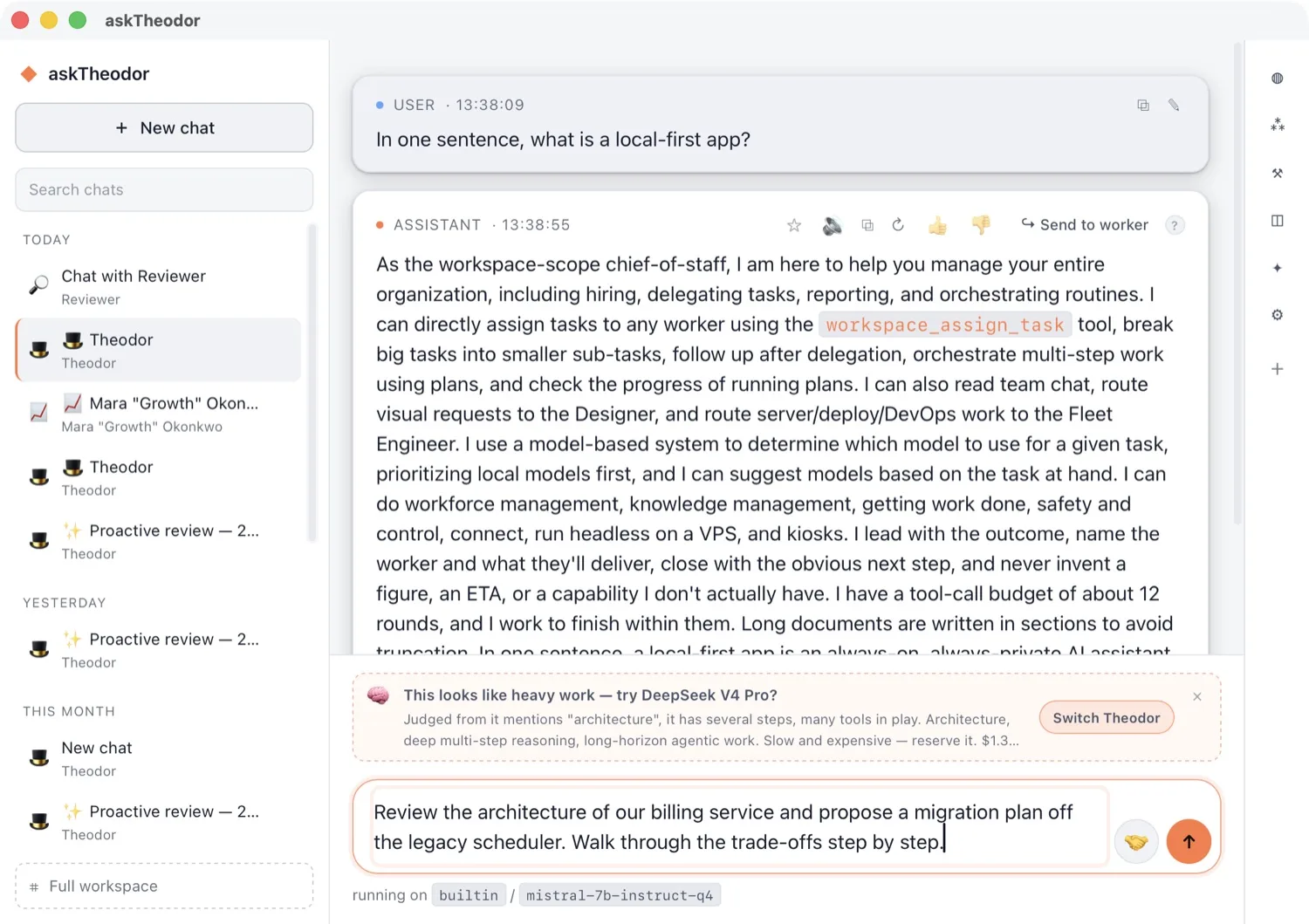
Type something that needs real reasoning — "review the architecture of our billing service and walk through the trade-offs" — and askTheodor says so before you send it, along with what the better model would cost.
It suggests; you decide. It never switches a model on its own. It stays quiet unless the prompt is decisively heavier or lighter than what the worker is running, and it doesn't bother you about savings too small to care about.
And the judgement happens entirely on your machine. Nothing is sent anywhere to work out that your prompt was hard.
Runs on your Mac's GPU, not just its CPU
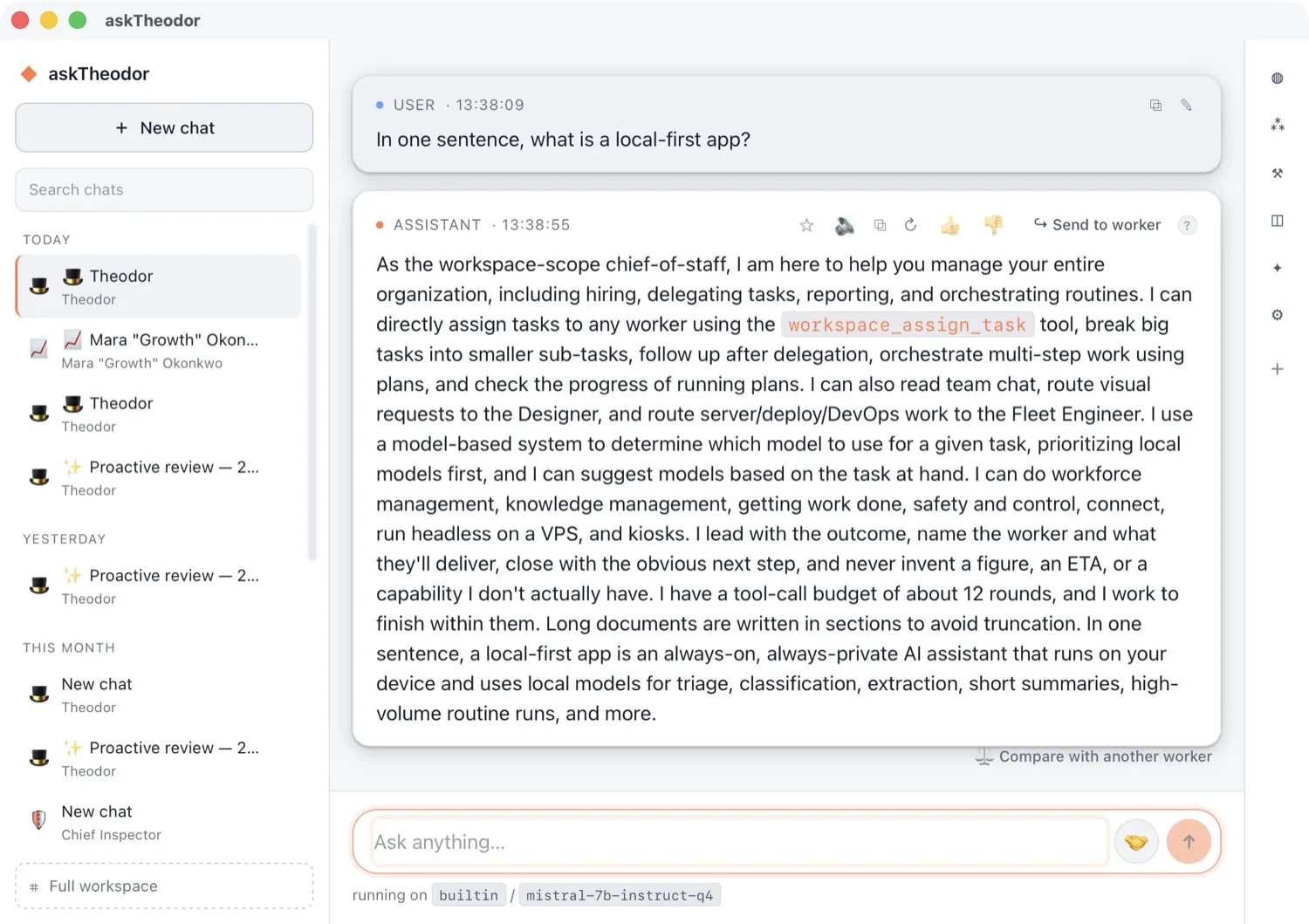
The bundled engine now uses Metal on Apple Silicon. Download a model and it works — no daemon to install, no account to create, no network required. The answer above was generated in-process, on the GPU, by a 7B model sitting on the same laptop.
That's what local-first means in practice. Your conversations, memory, library and audit log live in a SQLite file on your own machine. Cloud models are something you opt into for a specific worker, not the price of entry.
Pull the network cable and the workforce keeps answering.
Fifty providers. One key each. Or none at all.
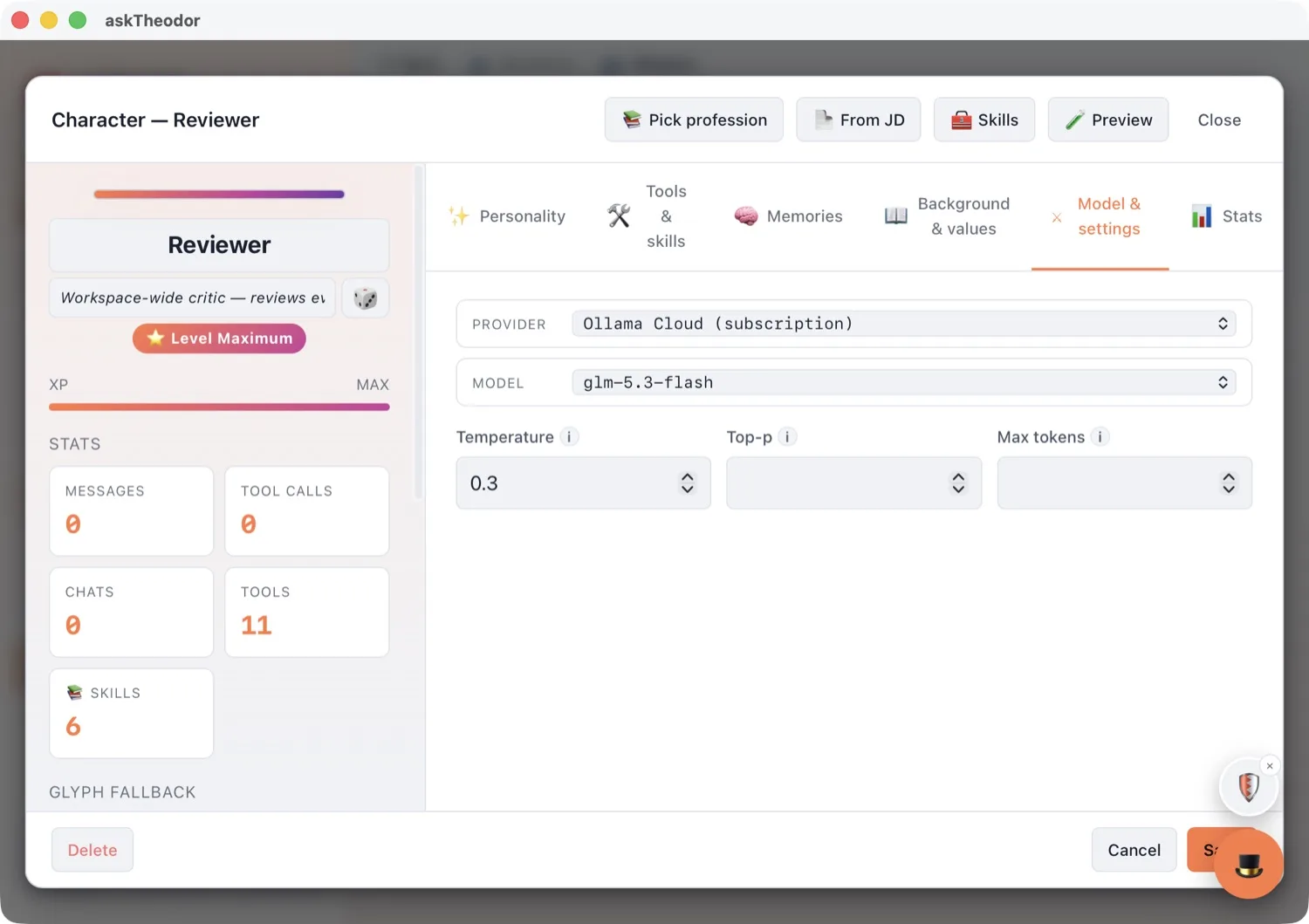
When you do want the frontier, it's all reachable per worker: the September 2026 frontier models, the open-weight field, and the aggregators that front hundreds more — fifty providers in total.
Connect an Ollama subscription and its hosted models join every picker alongside the ones on your own disk. Pair the two and you get the best of both: routine work stays free and local, hard work gets a frontier model.
Under the hood
- Local engine — Metal GPU inference on Apple Silicon, in-process. No daemon, no account.
- Frontier models — Claude Fable 5.1, GPT-6 Astra, Gemini 3.8 Flash, Grok 4.7, GLM 5.3, DeepSeek, Qwen 3.8, Kimi K3.
- Model tiers — Light / Standard / Heavy, each with the vendor's published rate and context window.
- Model advice — on-device prompt classification; nothing leaves your machine to produce a suggestion.
- Two views, one workspace — Simple mode and the full workspace share the same conversations and workers.
- Storage — SQLite on your machine, with full backup, export and import.
- Safety — approval gate, per-worker tool allowlists, budgets, rate caps, and a one-click kill switch.
- Platforms — macOS and Windows desktop, plus a headless runner for a VPS.
Where to start
- Update the app (Settings → 🔄 Updates), or download it fresh from the site.
- Open Settings → Models and download a local model. Leave all three tiers on Auto.
- Ask Theodor something routine, then something hard. Watch which model answers the first — and what he suggests for the second.
That's the whole idea: free where it can be, frontier where it has to be, and your data on your machine either way.
askTheodor runs on macOS and Windows, with a 7-day free trial. Every screenshot in this post was captured from the running app.