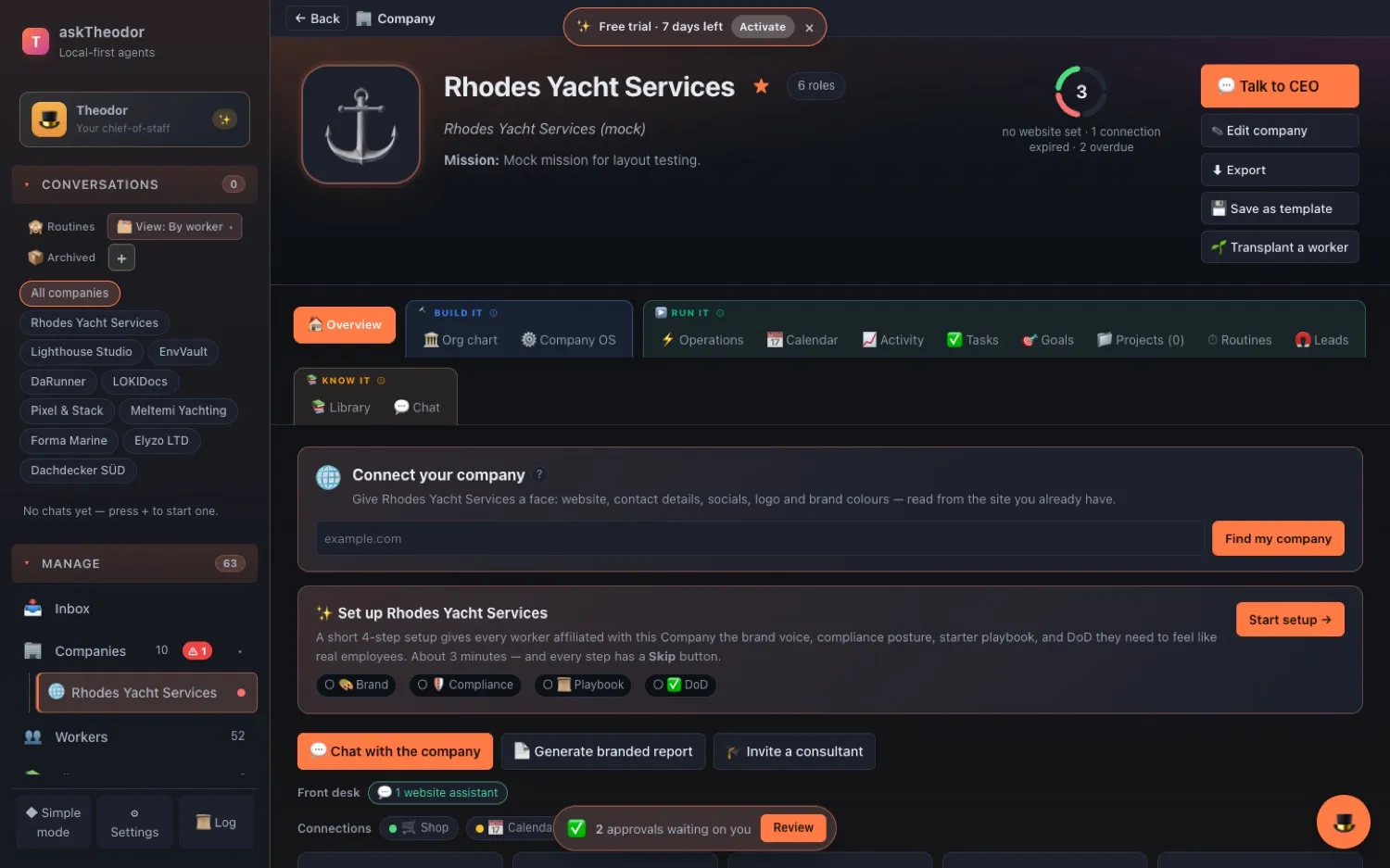
Until now, a Company in askTheodor was a very well-organised drawer. Workers, goals, a Library, some routines — all filed neatly, all waiting for you to open it.
askTheodor 0.9.301 arrives on 26 October 2026, and it changes that. A Company learns who it is on the web, reads its own website into the Library, gets its own shop, payments and calendar, keeps a rhythm — and shows you, with one small ring, whether it needs you.
Seven threads, one idea: a Company has a life of its own.
See which Company needs you — without opening any of them
Every Company now carries a small health ring with four arcs: Website · Library · Connections · Rhythm. Green is fine, amber is worth a look, red needs you, grey isn't set up yet. The number in the middle counts what needs attention.
- The Companies grid opens in Attention order, so the one that needs you is first. Name and Newest are one click away.
- ☆ Pin a Company and it sits under Companies in the sidebar, with a red count when it needs you.
- On the Company page the arcs are buttons to the fix, and the ring reads out in words when you hover or tab to it.
- ⌘K → "Rhodes health" opens that Company's chat with the question already typed — not sent.
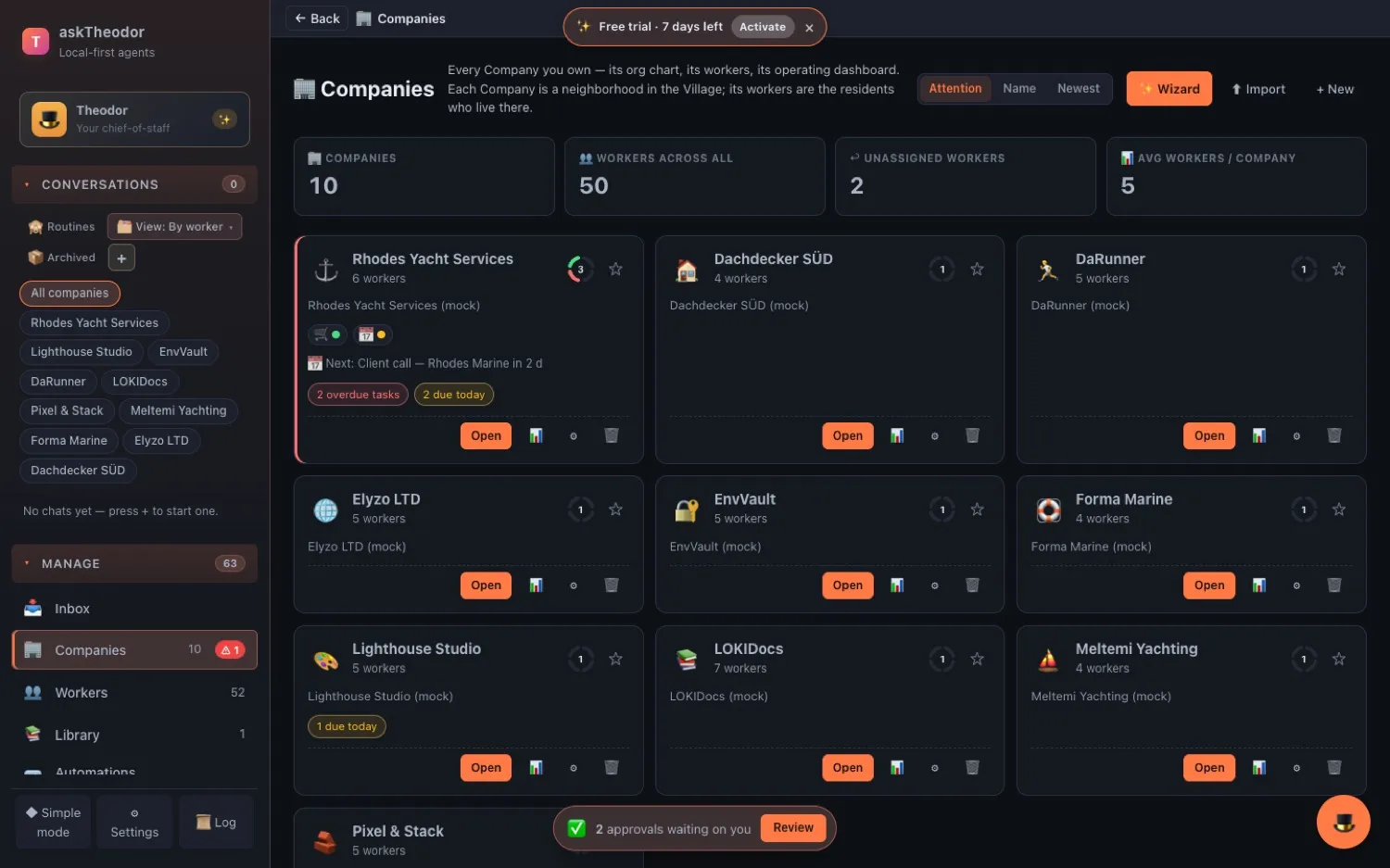
Paste your website. Review. Apply.
Open a Company's Overview, paste its website into Connect your company, and askTheodor reads the homepage — and, if they're linked, the imprint, About and Contact pages. Public pages only, at most seven requests. It proposes a profile: domains, e-mail, phone, address, VAT and registration ids, socials, brand colours and a first draft of the mission.
Nothing is saved until you click Apply. Every field is ticked and editable. The logo and favicon are copied onto your computer, never hot-linked, and ↻ Re-discover later keeps whatever you typed yourself.
Starting from nothing? Theodor's welcome now asks you to paste your website and builds a team from it.
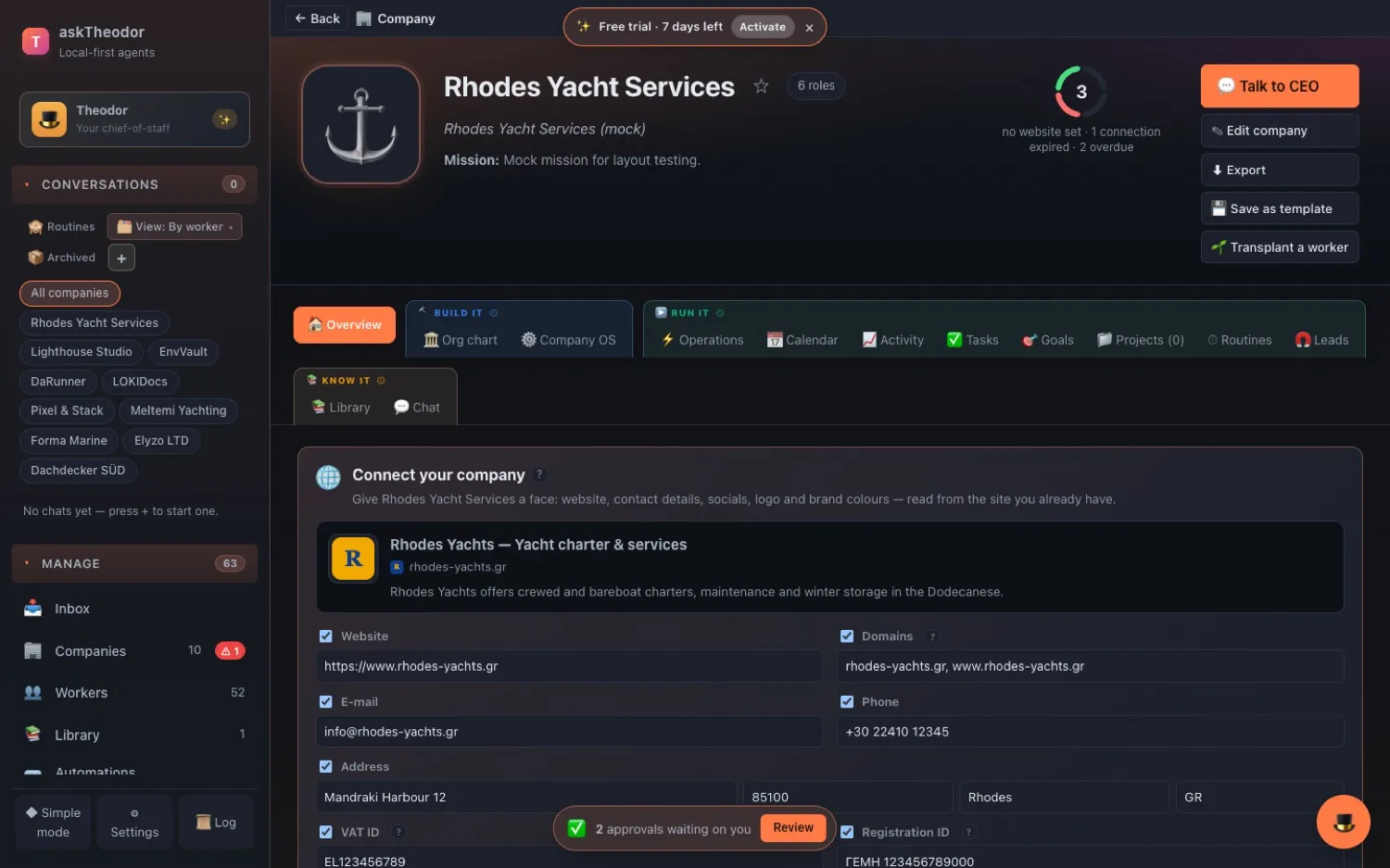
Your workers quote your own pages
A Company's Library gets a 🌐 Sources panel. Add a website, a sitemap, a single page (web, PDF, Word, PowerPoint or Excel) or an RSS feed, and choose how often to refresh it — never, daily, weekly or monthly.
Every page becomes a real Library document with a 🌐 badge and an Open original link. Unchanged pages aren't rewritten, pages that vanished leave after the next good run, and the morning standup tells you how many pages changed overnight.
The crawler is polite: it stays on your site, obeys robots.txt, reads the sitemap first, waits half a second between requests and stops at 5 MB per page.
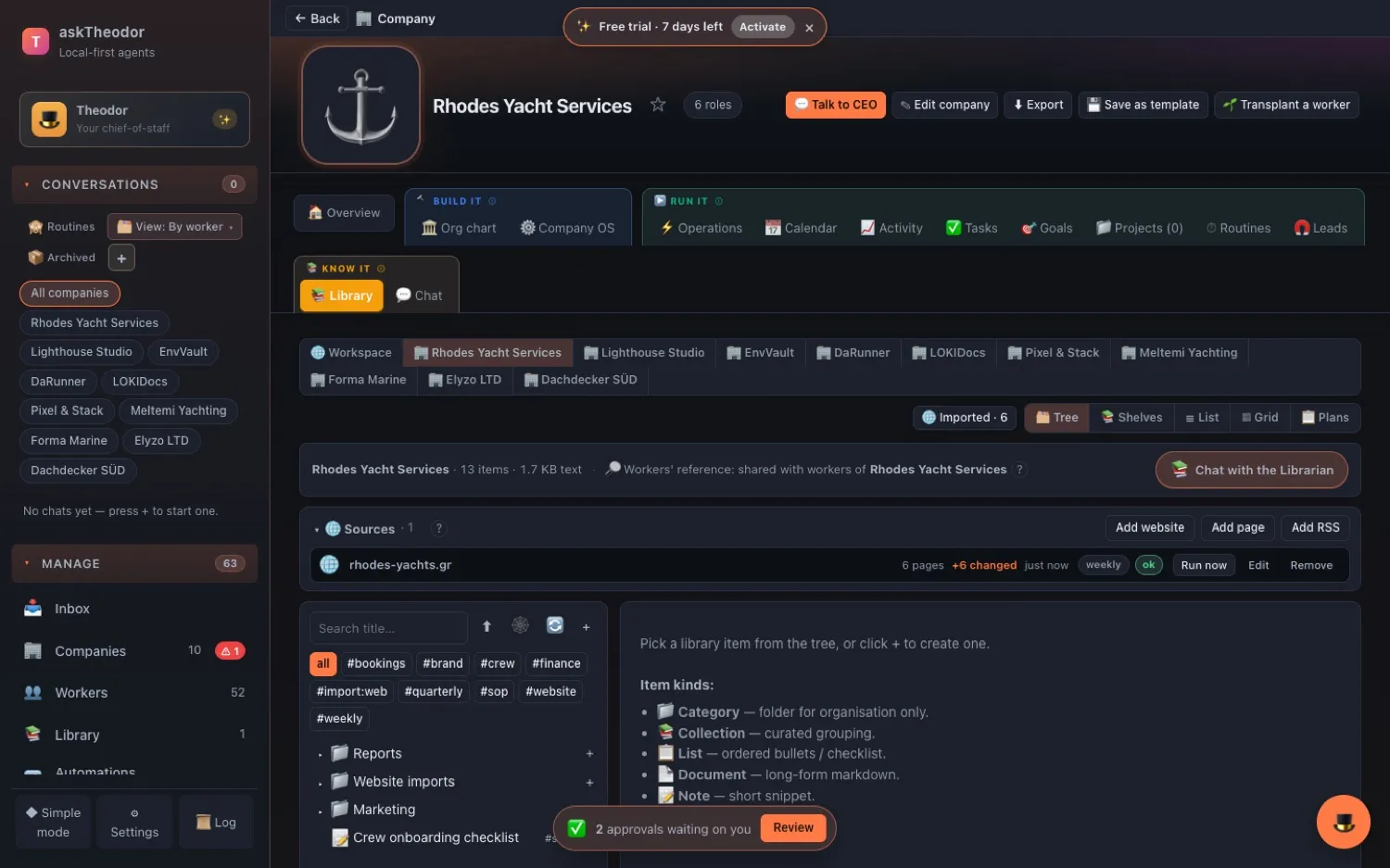
Each Company gets its own tools — and only its own
Company OS → 🔌 Connections has fifteen slots: Website/CMS, Shop, Payments, E-mail, Calendar, Files, Team chat, CRM, Social, Hosting, DNS, Registrar, Accounting, Support and Other. Bind an API key or an MCP server to a slot, and only that Company's workers can reach it.
Status dots tell you how each one is doing — green working, amber sign-in expired, red failing — and they're re-tested every six hours. Accounts that belong to the whole workspace show greyed, so you can see everything a worker there can reach. And for each connected slot you get ✨ suggested routines: an orders digest, a meetings brief, revenue against your goal.
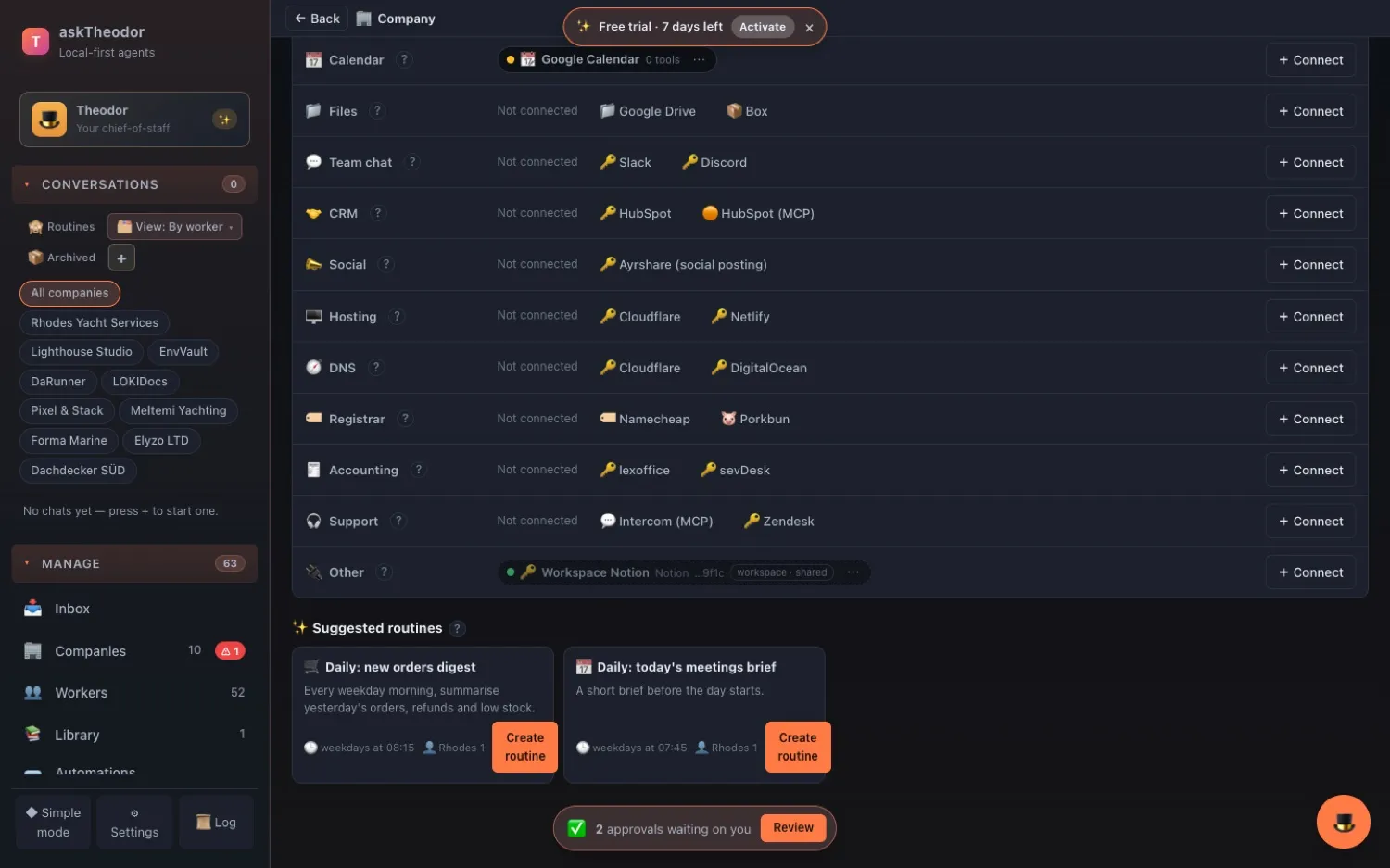
Name the Company. Theodor reads — or, with your OK, acts.
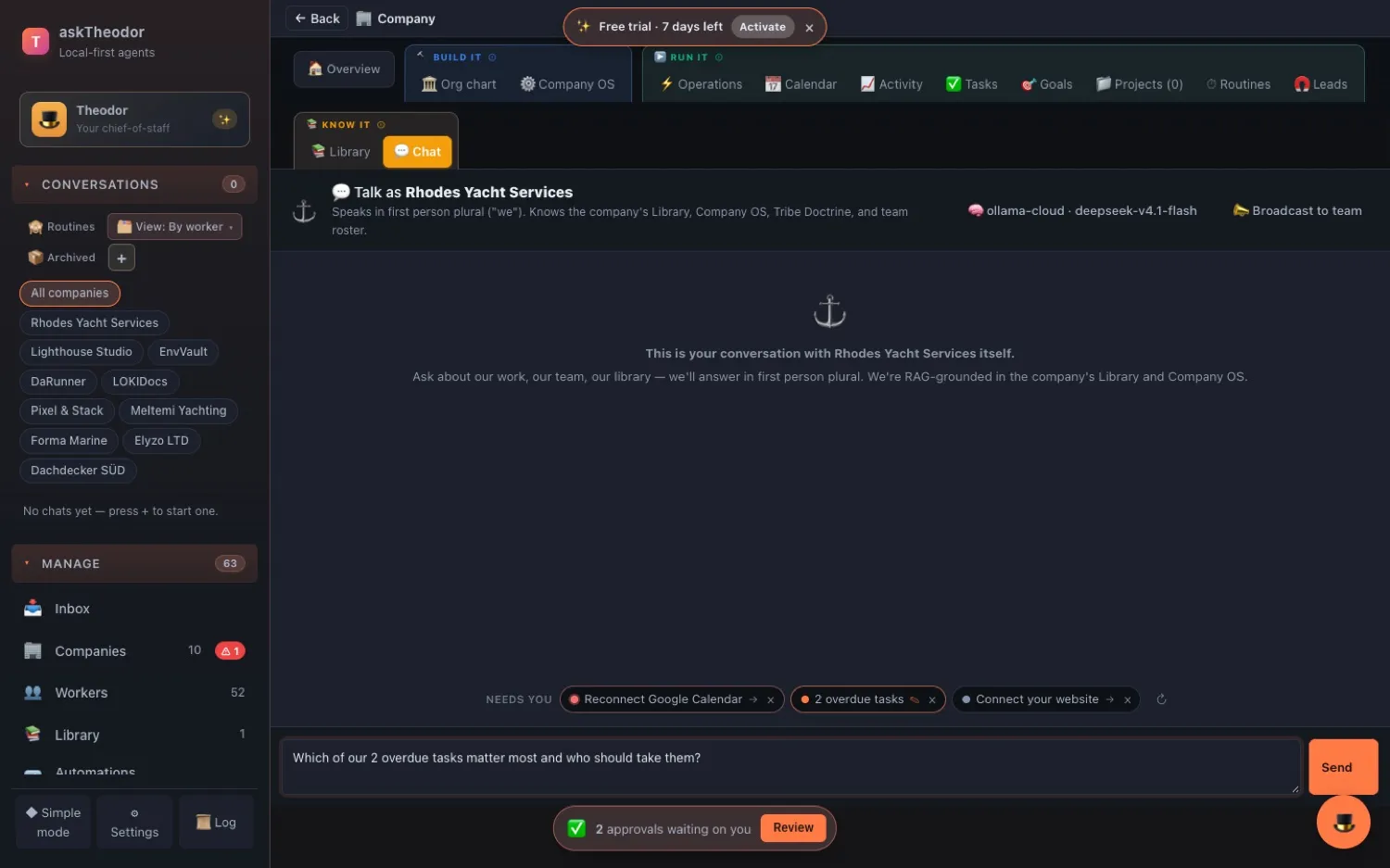
Ask Theodor "How is Rhodes doing?", "Who is Rhodes on the web?" or "What's connected for Rhodes?" and he simply reads and answers — never showing a key. Ask him to import a page into a Company's Library, or to make a call to that Company's Stripe, and he asks you first, then makes one audited call.
The Company Chat becomes a control room: a Needs you row of chips at the top. ✎ chips put a question in the box and never send by themselves; → chips open the tab that fixes the problem.
A calendar, a rhythm, a brief on your desk
A business isn't a list of tasks — it's a day. Now a Company has one.
One calendar for everything with a date
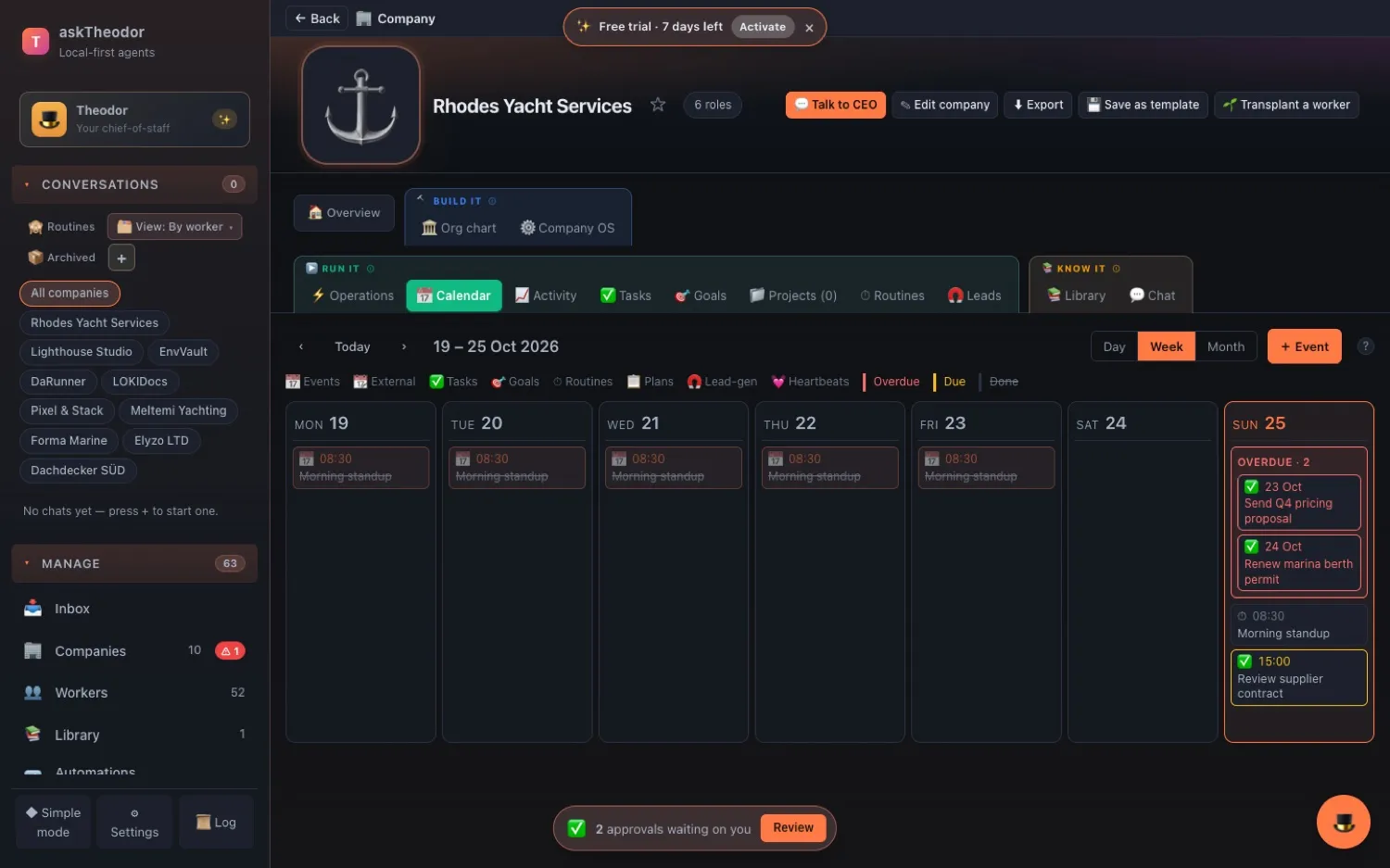
Every Company gets a 📅 Calendar, built from what's already there: task and goal deadlines, the next runs of your routines and recurring plans, lead-gen follow-ups, worker check-ins and your team's own meetings. Switch between Day, Week and Month. Anything overdue stays pinned to today until it's done, and clicking anything opens it.
You'll find it under Company → Run it → 📅 Calendar, or see every Company at once under Automations → Calendar.
A rhythm your workers keep
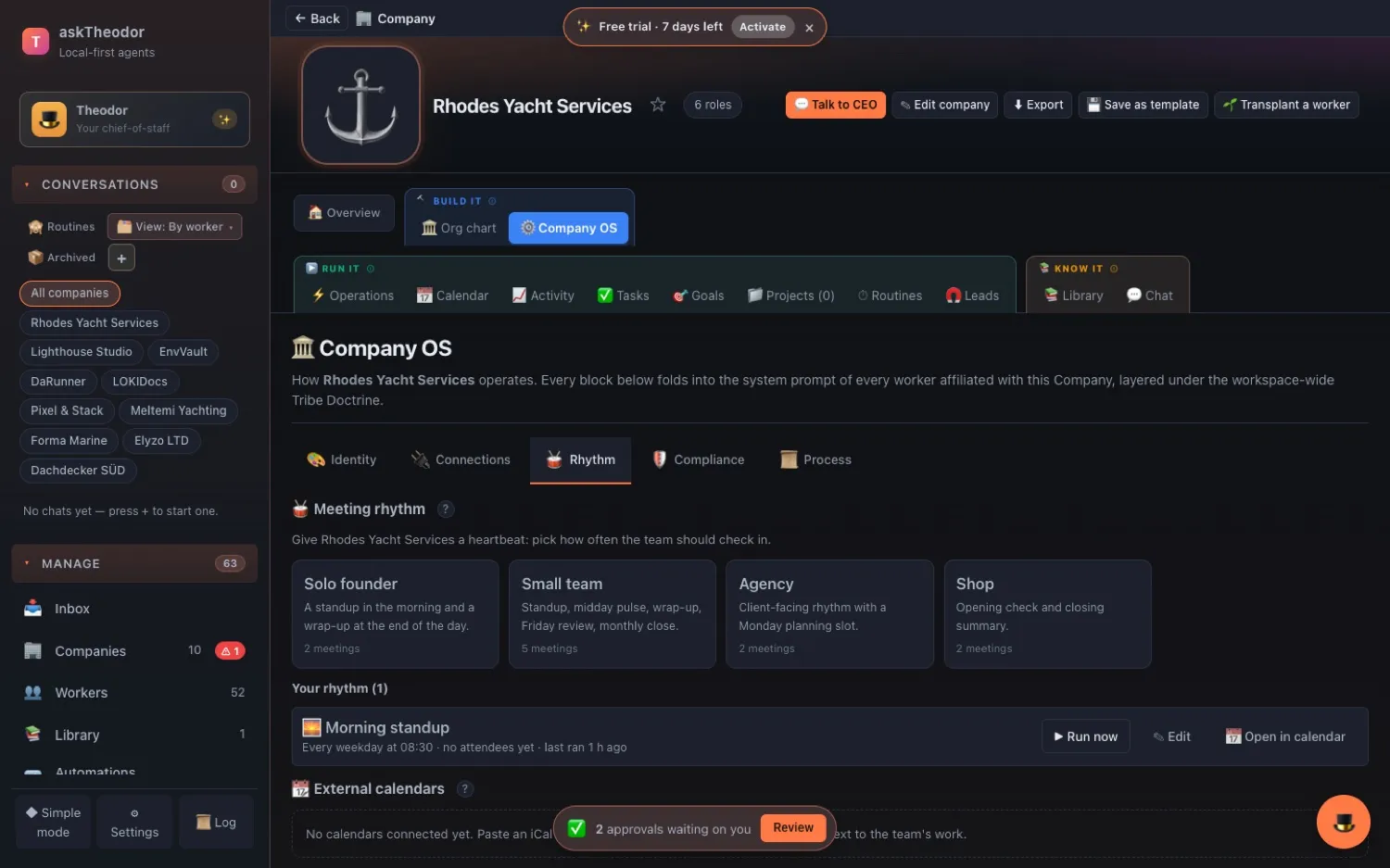
Open Company OS → 🥁 Rhythm and pick a template: Solo founder, Small team, Agency or Shop. One click, and the meetings appear on the calendar. The Small team rhythm, for example, holds a standup at 08:30, a midday pulse at 12:30, a wrap-up at 17:00, a weekly review on Friday afternoon and a monthly close on the 1st.
These aren't reminders for you. They're meetings your workers hold. At each one the chair — the first worker on the attendee list — looks at what's due, what's overdue, what happened overnight, which leads moved, what was spent and what's waiting for your approval, then writes a short brief. A 📝 message lands in your Inbox, and the latest brief of each kind sits on the Company's Overview, next to a Today panel: Overdue · Due today · Scheduled today · Since your last visit.
Change the times, rename the meetings, give them a different chair. Re-applying the template updates the same meetings instead of duplicating them, and keeps what you edited. ▶ Run now holds a meeting on demand.
Watch the team work
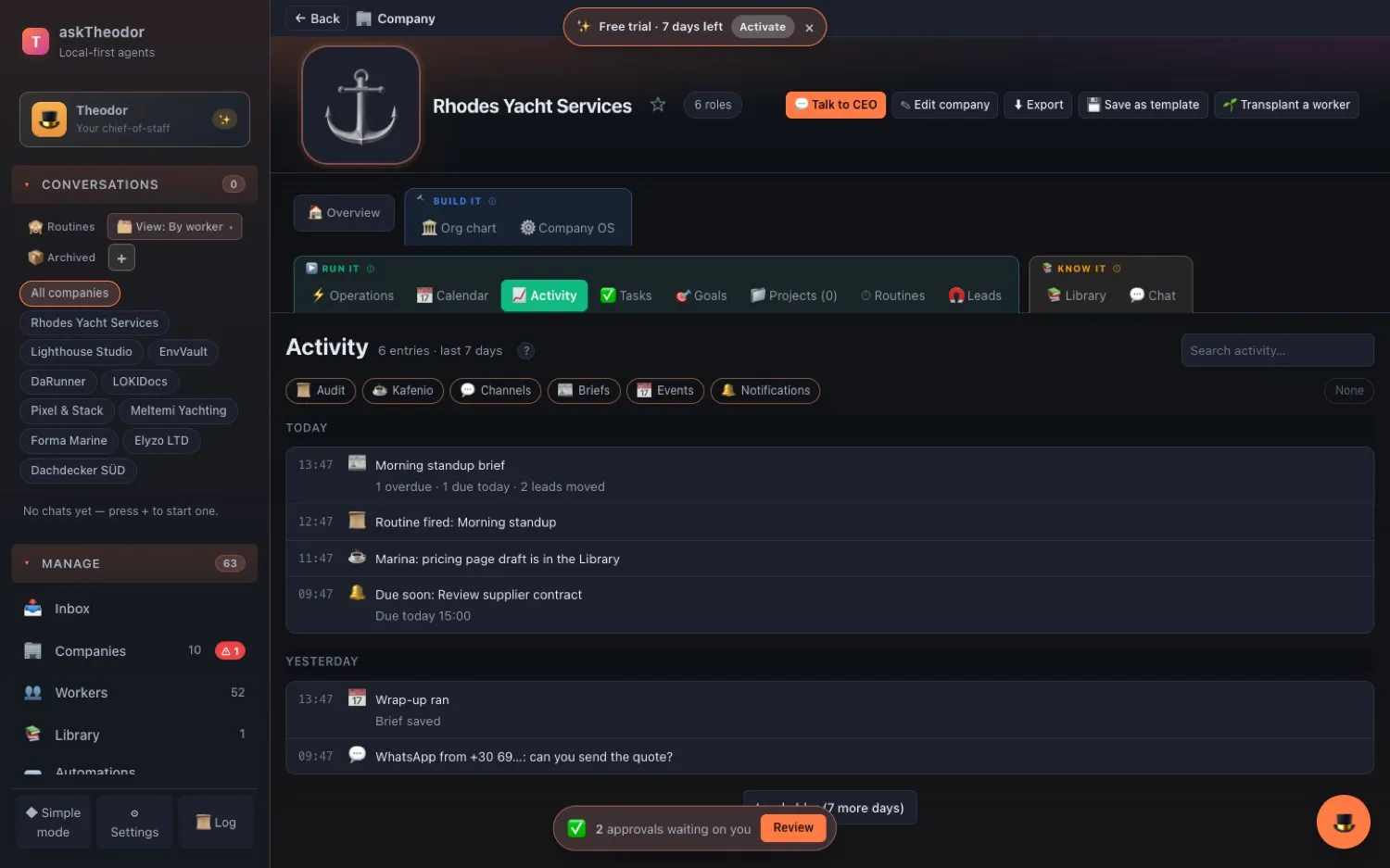
📈 Activity is a day-by-day feed of everything the Company did — actions, the team chat room, channel messages, briefs, meetings and reminders — with filters and search. ⚡ Live rows appear while a worker is running, and dots on the org chart show who's working, stuck or idle. No reload.
Your calendars, in and out
Subscribe to a Google, Apple or Outlook calendar and see your own events beside the team's work, refreshed every 30 minutes. Share the Company calendar back with a subscription link for Apple Calendar, Outlook or Thunderbird, or save a .ics file of the next 60 days.
A few honest notes: each meeting is one AI run on your own provider key; only the chair is run; the app has to be running (on your computer or a headless runner) — a meeting missed while the computer slept for under six hours still runs when it wakes; and the share link is served by the app itself, so it works while askTheodor is running.
A calmer front door
- A fresh install opens in Simple mode — one chat and a slim rail. The full workspace is one click away, and existing users stay where they were.
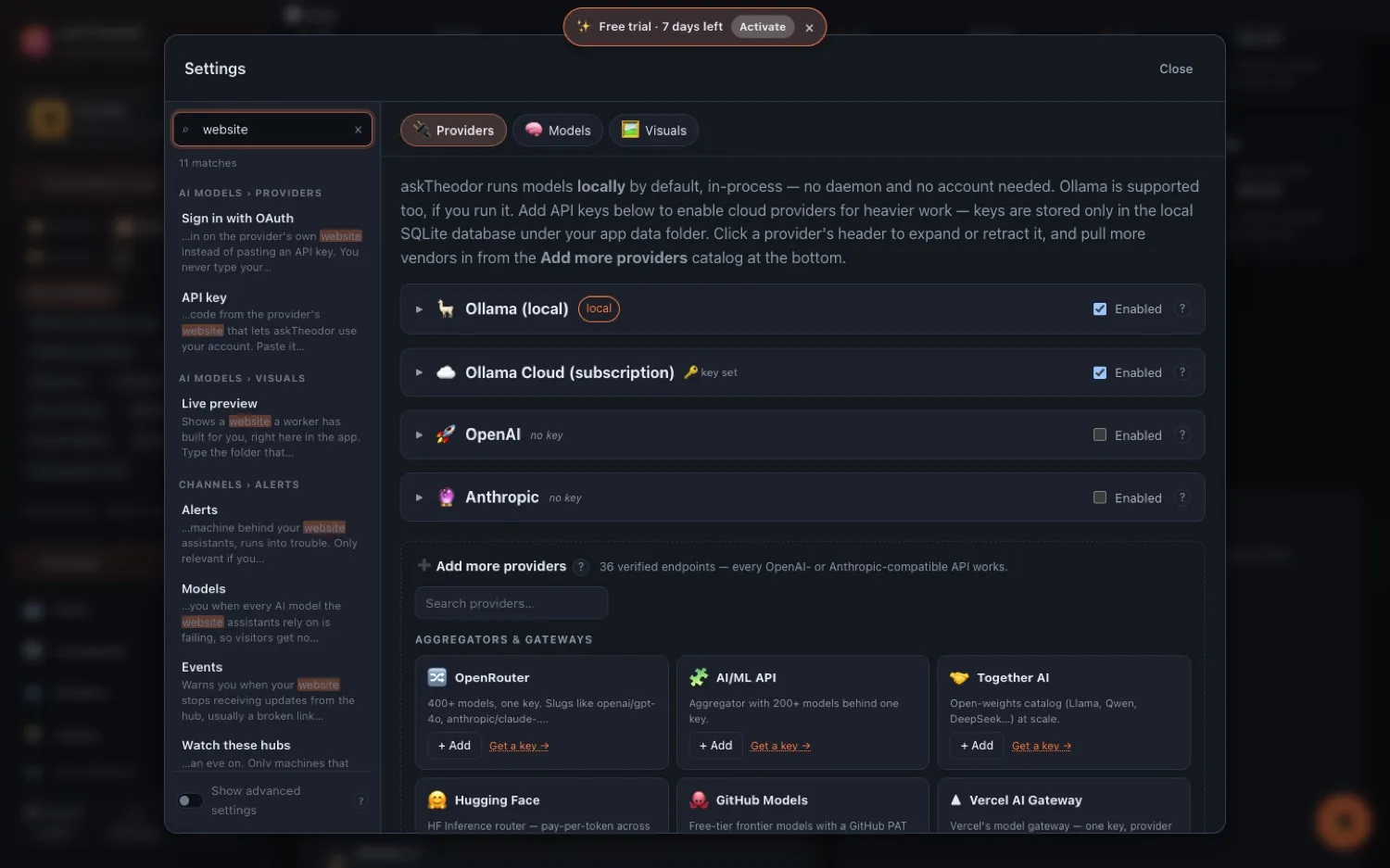
- Settings went from 25 tabs to 9 sections, with a search box that finds any setting by its name or its help text.
- A ? next to more than 200 settings says what each one does, its default, and when to change it.
- The 7-day trial starts by itself — no sign-up wall, just a small countdown.
Enforced by the app, not by asking the AI nicely
- Keys sealed at rest. Connector API keys are encrypted on your computer and opened only when a request goes out — never shown in a chat, never shown to Theodor. Older plain-text keys are sealed on first start. (Tokens inside an MCP server's own settings aren't covered yet.)
- Public addresses only. Website discovery and imports refuse
localhostand your own network, re-check every redirect, and cap page sizes. Office files are read in a sandbox. - Other Companies can't see it. When a worker starts, it gets only workspace tools plus its own Company's. A different Company's accounts appear in no tool list and no error message.
- You say yes first. Library imports, Company API calls and social posts ask before they happen, and every call is audited — Company, slot, method, path and result; never the key or the body.
What's next
We're turning the Library into a proper Drive — folders, previews, stars and full-text search, per Company and per project. After that: askTheodor in German, routines started by your calendar, and Google Calendar both ways. The roadmap has the details.
How to get it
askTheodor 0.9.301 is live from 26 October 2026. If you already have askTheodor, open Settings → Account → Updates. If you don't, download it — the 7-day trial starts by itself.
Screenshots show a demo workspace with mock data in the real askTheodor app.