Until now, a lot of real work started with you copying something into a chat.
You'd paste in the brief. Copy the error out of the log. Describe the spreadsheet because you couldn't hand it over. Then you'd copy the answer back out again and put it where it belonged.
askTheodor 0.9.284 removes most of that copying. Your workers can now work in your files, learn a task by watching you do it once, and answer your customers on your website while you sleep.
Bring your files
Give a chat a folder
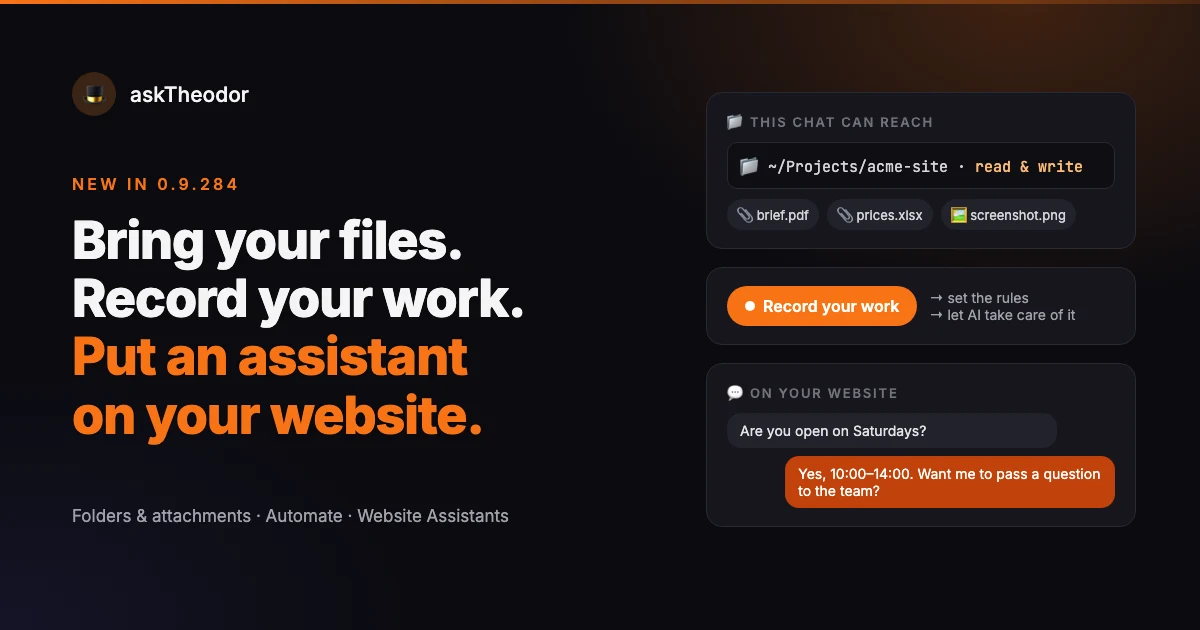
Every chat now has 📁 Add a folder. Pick a folder on your Mac, and the workers in that chat can list, read, create and change the files inside it. It's the same way you'd work in a project folder with a coding assistant, but it works for any job: a website, a stack of contracts, a quarter's invoices.
They can't touch anything outside that folder.
It works in any chat, not just project chats. If a chat belongs to a project that already has a folder, the chat's own folder takes over for that chat.
A few places are off-limits, even if you try to pick them: your whole home folder, hidden folders like ~/.ssh, ~/Library, and system folders. A worker gets the folder you meant to give it, and nothing next to it.
Attach anything to a message
Click 📎, drag files onto the chat, or just paste them in, screenshots included.
- Text and code go straight into the message.
- PDF, Word, PowerPoint and Excel files are converted to text, so the worker reads what's inside them, not just the filename.
- Images are shown to the AI model on that one message, if the model can see images.
The limits: up to 8 files per message, 25 MB per file. A very long file is shortened to fit, and marked with ✂️ so nobody thinks they've seen the whole thing.
Always know what a chat can reach
A bar above the message box always shows what the current chat has access to, for example:
📁 ~/Projects/acme-site · read & write
No guessing which folder a worker is in, and no hidden access. If the bar is empty, the chat has no folder.
Record your work. Set the rules. Let AI take care of it.
Some tasks are easier to show than to explain. Automate lets you do exactly that:
- Record yourself doing the task on your Mac. askTheodor captures the screen and your clicks.
- Set the rules. It turns the recording into a written, step-by-step procedure you can read and correct, then add your own rules to.
- Let AI take care of it. One click creates a worker whose only job is to run that procedure on your computer. It asks for your approval before it clicks or types.
The recorder counts your keystrokes but never logs what you type.
We wrote about it in more detail here: Do it once. Never do it again.
Put an assistant on your website
The kiosk has grown up. Website Assistants gives you a customer-support assistant that's yours: your API key, your knowledge base, your server.
Your key, your model, your answers
Bring your own API key from OpenAI, Anthropic, Gemini or another provider, and pick the model.
Then give it a knowledge base: add pages by URL, or paste in text like your FAQ, policies, prices and opening hours. The assistant answers from that. If the answer isn't there, it says it doesn't know instead of making something up. When a question needs a person, it passes it to your team inbox along with the visitor's contact details.
Running around the clock, on your own server
The assistant runs 24/7 on your own server, the same headless askTheodor you already deploy from the Fleet screen. You set it up and manage it from the Mac app.
To put it on a website, add one <script> tag. A chat bubble appears in your colour, on the left or the right.
Built for strangers on the internet
A support assistant talks to people you've never met, so it's locked down:
- Only websites you list can use it.
- Each visitor sees only their own chat.
- Daily and per-chat message limits, plus rate limits, so nobody can run up your API bill.
- It can't use any tool except "pass to the team." No files, no browsing, nothing else.
A Chats tab shows every visitor conversation, along with usage per day, so you can see what people actually ask and fill the gaps in the knowledge base.
One honest caveat: your server needs a domain with HTTPS in front of it, such as Caddy or nginx. Browsers block a plain-http widget on an https website, so without HTTPS the bubble won't load.
Also in this release
- No more vague "409 error" with a false "Done". If you delegate a task to your server and one of its steps needs an approval that nobody is there to give, the worker now says so plainly.
- Security fix in the kiosk API: a kiosk key can now only continue the kiosk's own chats.
- Fixed a crash when knowledge-base excerpts contained umlauts or Greek characters.
How to try it
- Update to 0.9.284 (Settings → 🔄 Updates).
- Open any chat and use 📁 Add a folder or 📎.
- Open Automate and choose Record your work.
- Open Reports → 💬 Website Assistants to set up your first assistant.
askTheodor is a local-first AI workforce for your Mac and PC, with a 7-day free trial. Your files, your keys, your server.